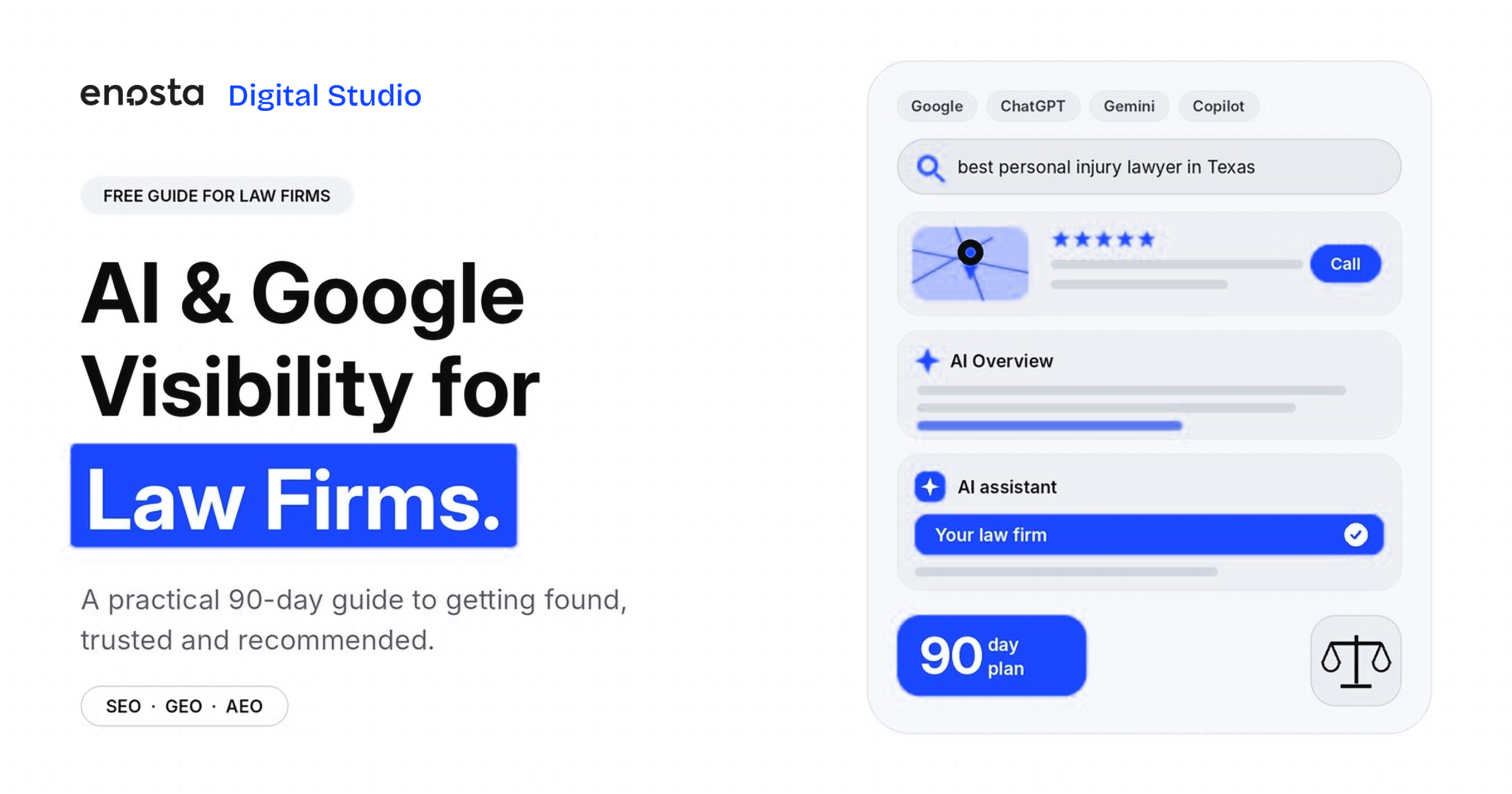
AI visibility for law firms depends on what Google and assistants such as ChatGPT can confirm. They look for a real firm that other sources trust and that handles the matter a person is asking about. There is no special AI trick, only the foundations that also help on Google. This guide covers where clients search, how AI tools appear to choose firms, nine steps in priority order, a self-check and a 90-day plan.
Where clients look for a lawyer now
Google search and personal referrals are still common ways to find a lawyer. What has changed is the first screen a person sees, which often shows a written answer before any website link.
Google Maps and the local pack
A search such as “car accident lawyer near me” usually shows a map with three firms, their ratings and a call button. It is often the first list a person sees.
AI Overviews and AI Mode
Google can place a written summary above the results, with links to the sources it used. People can then ask follow-up questions in AI Mode.
AI assistants
ChatGPT, Gemini and Microsoft Copilot answer full questions such as “Who should I call after a truck accident in Houston?” Their answers may name a short list of firms.
That written answer changes how often people click through. A Pew Research Center study of US Google users found that people clicked a traditional result less often when an AI summary appeared. The study covered general searches in March 2025, not legal searches only.
8% vs 15%. Users who saw an AI summary clicked a traditional result on 8% of visits, against 15% when no summary appeared. Pew Research Center, 2025.
How AI tools choose which firms to mention
Nobody outside Google, OpenAI or Microsoft knows the exact formula. Google’s own guidance on AI features says there are no extra requirements or special optimisations for AI Overviews and AI Mode. A page only needs to be indexed and eligible to show a snippet. In practice, the signals that help a firm appear point to three questions.
Is the firm real?
Search engines check that the name, address, phone number and attorneys match across your website, Google Business Profile, Bing Places and bar listings. Mismatches make it harder to tell which details are correct.
Do others trust it?
Genuine reviews, complete directory and bar profiles, local press and professional recognition show that people outside the firm vouch for it.
Is it the right fit?
A respected firm can still be left out if its website is vague. The site should say which cases the firm takes, in which cities, and what a client should do first.
Each of the nine steps below strengthens one of these answers. To see where your firm stands before you start, take the self-check.
Nine steps to improve your visibility
Start with the steps that have high impact and low effort. They fix the identity problems that hold back everything else. The table shows the order and who usually does the work.
| Step | Impact | Effort | Who does it |
|---|---|---|---|
| 1. Google Business Profile | High | Low | Firm |
| 2. Consistent details | High | Low | Firm or specialist |
| 3. Attorney biography pages | High | Medium | Attorneys and web team |
| 4. Client reviews | High | Medium | Firm |
| 5. Practice-area and city pages | High | Medium | Web team, with attorney review |
| 6. Answers to client questions | Medium | Medium | Attorneys and writer |
| 7. Trusted third-party mentions | Medium | Medium | Firm |
| 8. Bing and ChatGPT search | Medium | Low | Specialist |
| 9. Technical basics and tracking | Medium | Low | Specialist |
Step 1: Claim and complete your Google Business Profile
Your Google Business Profile is the free listing that appears in Google Maps and the local pack. It is one of the clearest signals that your firm exists at a real address.
What to do:
- Claim and verify a profile for each office where clients can reach you during stated hours.
- Choose the most specific primary category, such as “Personal injury attorney”, then add your other practice areas.
- Add accurate hours, phone number, website and real photos of the office and team.
- Post an update or a new photo each month.
What to avoid:
- Keywords in the firm’s name: Google’s profile guidelines say unnecessary information in the name can lead to suspension.
- Virtual offices: Do not list an address where nobody works.
- One profile per specialisation: An attorney can have a practitioner profile, but not a separate profile for each practice area.
Step 2: Keep your firm’s details the same everywhere
Search engines compare your firm’s name, address and phone number across many sites. If they find three versions of the name and two phone numbers, they cannot be sure which one is right.
What to do:
- Pick one exact version of the name, address and phone number.
- Use it on your website, Google Business Profile, Bing Places and social profiles.
- Update your state bar profile and directories such as Avvo, Justia and FindLaw.
- Track listings in a simple spreadsheet and fix the ten most important first.
What to avoid:
- Old details: Remove the previous address or phone number after a move.
- Mixed names: Do not use “Smith LLP” in one place and “Smith & Associates” in another.
Step 3: Give every attorney a biography page
Clients want to know who will handle their case. A biography page for each attorney gives search engines and AI tools a verifiable person to connect with each practice area.
What to include:
- Full name as it appears on the bar profile, with a recent photo.
- Law school, bar admissions and court admissions, with years.
- Years in practice and the case types the attorney handles.
- Awards, articles and talks, each with the issuing organisation and year.
Link each biography from the practice-area pages that attorney covers.
What to avoid:
- Stock photos: Do not publish profiles for people who do not work at the firm.
- Restricted titles: Do not call an attorney a “specialist” or “board certified” without that certification. Many state bars restrict these terms.
Step 4: Earn genuine client reviews steadily
Reviews show both people and machines how past clients describe the firm. A steady flow of genuine reviews counts for more than a sudden burst.
What to do:
- Ask satisfied clients at the end of a matter, with a direct link to your Google review page.
- Reply to each review briefly and politely.
What to avoid:
- Incentives: Google’s review policy removes reviews posted because a business offered an incentive. Bar rules may also apply.
- Self-reviews: Do not write reviews for your own firm or ask staff to post them.
- Client details in replies: Never confirm that someone was a client or mention their case.
Step 5: Build a page for each practice area and city
AI tools can only match your firm to a question if your website says clearly what you do and where. One general services page is rarely enough.
What to do:
- Create one page for each main case type, such as truck accidents or wrongful death.
- Create a page for each city or office you genuinely serve.
- On each page, explain who you help, how the process works, what to do first, how fees work and which attorney handles the matter.
- Add real local details and office or team photos.
What to avoid:
- Copied city pages: Do not publish dozens of near-identical pages with only the city name changed.
- Outcome promises: Do not suggest a result for any case.
Step 6: Answer the questions clients actually ask
People ask AI tools full questions, not short keywords. Pages that answer those questions directly give Google and assistants something clear to quote.
What to do:
- List the ten questions callers ask most often.
- Answer each in two to four plain sentences, then add detail.
- Show the reviewing attorney and the date of the last update.
Take the question “What should I do after a truck accident in Texas?” as an illustration. A good answer lists the first safety and record-keeping steps, then says when to speak to an attorney.
What to avoid:
- Unchecked AI drafts: An attorney should review every answer before it goes live.
- Legal jargon: Write the way you would explain the issue to a neighbour.
Step 7: Get listed and mentioned in trusted places
AI answers often draw on what other websites say about a firm. Accurate mentions on respected sites help confirm your reputation.
What to do:
- Complete your profiles on the main legal directories and your state and local bar.
- Seek genuine recognition, such as peer awards and local press coverage.
- Join the local chamber of commerce and take part in community events.
- Share insight through talks, interviews and guest articles.
What to avoid:
- Low-quality listings: Paying for dozens of weak directory listings adds little.
- Stale profiles: Incomplete or outdated profiles send mixed signals.
Step 8: Cover Bing and ChatGPT search
Google is not the only source AI tools use. Microsoft Copilot draws on Bing, and ChatGPT search relies on its own crawler, so it pays to cover both.
What to do:
- Set up Bing Places for Business and import your verified Google Business Profile.
- Add your site to Bing Webmaster Tools and submit your XML sitemap.
- Check the AI Performance report in Bing Webmaster Tools. It shows how often Copilot and Bing’s AI summaries cite your pages, but it does not cover ChatGPT.
- Allow OAI-SearchBot in your robots.txt file. OpenAI’s crawler documentation says sites that block it will not appear in ChatGPT search answers.
User-agent: OAI-SearchBot
Allow: /
OAI-SearchBot and GPTBot are separate settings. You can allow search while still blocking GPTBot, which OpenAI uses for model training.
What to avoid:
- False certainty: A Bing listing is an extra opportunity, not a guaranteed mention in ChatGPT.
Step 9: Check the technical basics and track results
Good content cannot help if search engines cannot reach it. Ask your web team or an SEO specialist to check these basics, then track results each month.
Technical checklist:
- Important pages are not blocked in robots.txt.
- Key pages show as indexed in Google Search Console and Bing Webmaster Tools.
- The site loads quickly and works well on mobile.
- Every important page can be reached through internal links.
- LegalService structured data, if used, matches what the page shows.
What to track each month:
- Google Business Profile: Calls, direction requests and website clicks.
- Google Search Console: Clicks and impressions. Traffic from AI Overviews and AI Mode is counted in the standard “Web” search type.
- Bing Webmaster Tools: Search performance and the AI Performance report.
- New clients: Ask “How did you find us?” and include “AI chat” as an option.
If these checks are hard to run in-house, technical SEO support can take them off your desk.
Check how AI tools describe your firm
A ten-minute test shows whether AI tools mention your firm and what they say about it. Tick each item your firm already has, then run the prompts below.
Identity
Google Business Profile
Verified, with the right primary category.
Same details everywhere
Name, address and phone number match on your site and listings.
Bing Places
Set up and matching your Google profile.
Trust
Reviews
New genuine reviews arrive every month.
Directories and bar
State bar and main directory profiles are complete.
Attorney pages
Every attorney has a biography page with admissions.
Fit and access
Practice pages
Each main case type and city has its own page.
ChatGPT search
robots.txt allows OAI-SearchBot.
Indexing
Key pages show as indexed in Google Search Console.
Next, run these four prompts in ChatGPT, Gemini, Copilot and Google. Replace the brackets with your own details.
Best [practice area] lawyer in [city]
Who should I call after a [type of accident] in [city]?
Top [practice area] attorneys in [state]
Is [firm name] a good law firm?
Each month, record whether your firm was named, whether the details were correct and which sources the answer cited. Answers change between runs, so repeat each prompt a few times and look for patterns over several months.
Stay within lawyer advertising rules
Depending on the state, a firm’s website, attorney biographies, directory listings and social posts can count as lawyer advertising. Check your own state bar’s rules before you publish.
Treat your website as advertising
Avoid outcome guarantees, unverifiable words such as “best” or “top”, and credentials you cannot document.
Know your state’s filing rules
In Texas, Rule 7.04 requires advertisements to be filed with the State Bar’s Advertising Review Committee within 10 days of dissemination. Under Rule 7.05(b), website content is exempt except the homepage, according to the Texas Center for Legal Ethics.
Protect client privacy
Never confirm that someone is a client or share case details when you reply to a review.
Have an attorney review all content
AI can help draft pages, but an attorney should check every fact and claim before publication.
Be wary of AI ranking promises
Nobody can guarantee a place in ChatGPT or Google AI answers. Treat any provider who promises one with caution.
This section is general marketing information, not legal advice. Rules vary by state and change over time.
Your first 90 days
You do not need to do everything at once. Spread the nine steps over three months: fix your identity first, then your content, then your reputation.
Days 1 to 30: Build the foundation
Claim and complete your Google Business Profile, import it into Bing Places, make your details match everywhere and start asking for reviews. Run the self-check and save the results as a baseline.
Days 31 to 60: Improve your content
Update every attorney biography and improve your three most important practice-area pages. Add a page for your main city, answer five common client questions and work through the technical checklist.
Days 61 to 90: Strengthen your authority
Complete your main directory profiles and reach out to local press and community groups. Then rerun the self-check and compare it with your baseline.
Small, steady changes are easier to keep up than one big push.
Get the 90-day plan as a PDF
The guide puts the nine steps and the checklists from this article into one printable plan.
Do it in-house or get help?
Most of the first 30 days can be done in-house. You know your attorneys, cases and details better than anyone. The harder part is keeping the work going alongside billable hours.
Firms usually need help in four areas:
- Ongoing upkeep: Listings, reviews, new pages and monthly checks all need regular attention.
- Technical problems: Blocked crawlers, unindexed pages and slow mobile pages are hard to spot without tools such as Search Console.
- Content at scale: Useful pages for every practice area, city and attorney take research, writing and review.
- Reading the results: AI answers vary between runs, so progress shows in patterns over months.
A practical split works well. The firm supplies accurate details, real photos, client stories shared with permission, and final approval. A specialist handles technical SEO, page production, listing clean-up, AI search visibility and reporting. Your attorneys stay in control of every claim.
01
Do it yourself
For: Firms with time in-house.
Free
The nine steps and checklists
Print and share with your team
02
Free audit
For: Firms that want to know where they stand.
Free
Website, listings and AI search review
Fixes ranked in plain English
03
Search Growth by Enosta
For: Firms that want a team to run it.
Priced on scope
Technical SEO and search content
GEO / AEO and monthly reporting
Frequently asked questions
Is GEO different from SEO for a law firm?
GEO (generative engine optimisation) aims to get a firm mentioned in AI answers, while SEO aims to rank pages in search results. They share the same base, and Google says its AI features need nothing beyond normal SEO. The main difference is what you measure, which now includes mentions in AI answers as well as rankings and clicks.
Should a law firm block AI crawlers?
Keep search crawlers open even if you block training. Blocking OAI-SearchBot removes your pages from ChatGPT search answers, while blocking GPTBot only opts you out of model training. Google-Extended limits use of your content in Google’s other AI systems and does not remove you from Google Search.
How long does it take to show up in AI answers?
No one can promise a timeline. Changes to listings and pages only count once search engines recrawl them, and reputation builds over months. Run the same prompts each month so you can see change over time.
Does a law firm need schema or an llms.txt file?
No special file or markup is required. Google says AI Overviews and AI Mode need no AI text files or special schema. LegalService structured data can still help search engines read your details, as long as it matches the visible page.

Not sure where to start?
Get a free audit.
Send us your site. We will reply with your top priorities and a recommended next step.
Request a free audit