
Technical SEO is the work on how a website is built and configured so search engines can crawl, render, index and understand its pages. It covers the parts visitors rarely see, such as robots.txt, redirects, page speed, structured data and how JavaScript loads. When these break, good content can stay invisible in Google and AI search. This guide explains how search engines process a page, what to check and fix in each area, and the tools and checklist to use.
What is technical SEO?
Technical SEO is the work on a website's set-up that helps search engines find, crawl, render, index and understand its pages. It deals with how a site is built and configured, not with what the pages say. Think of it as the foundation that lets your content and links count. Developers usually make the changes, while an SEO specialist finds the problems, sets the priorities and checks the fixes.
How search engines crawl, render and index pages
Every technical SEO task supports one of the steps a search engine takes before a page can appear in results.
Google describes three stages of Search: crawling, indexing and serving results. Rendering sits between crawling and indexing for pages that rely on JavaScript. Knowing these steps makes it easier to see why a page is missing and which fix applies.
Discover
Google finds the URL through internal links and the XML sitemap.
Render
Scripts run to build the page, so key content should be in the raw HTML.
Serve
The page appears in results, helped by schema, speed and mobile usability.
Discovery: how Google finds URLs
Google finds new URLs mainly by following links from pages it already knows. It also reads XML sitemaps and URLs submitted in Search Console. A page with no internal links and no sitemap entry may not be found at all. Discovery is why internal links and a clean sitemap matter even on a small site.
Crawling: the crawl queue and Googlebot
Found URLs join a queue. Googlebot, Google's crawler, then requests each URL from your server and reads the response. The robots.txt file tells it which paths it may request. If the server is slow or returns errors, Google crawls less often. Status codes decide what happens next: a 200 response can move on, a 301 points to a new address, and a 404 tells Google the page is gone.
Rendering: turning code into a page
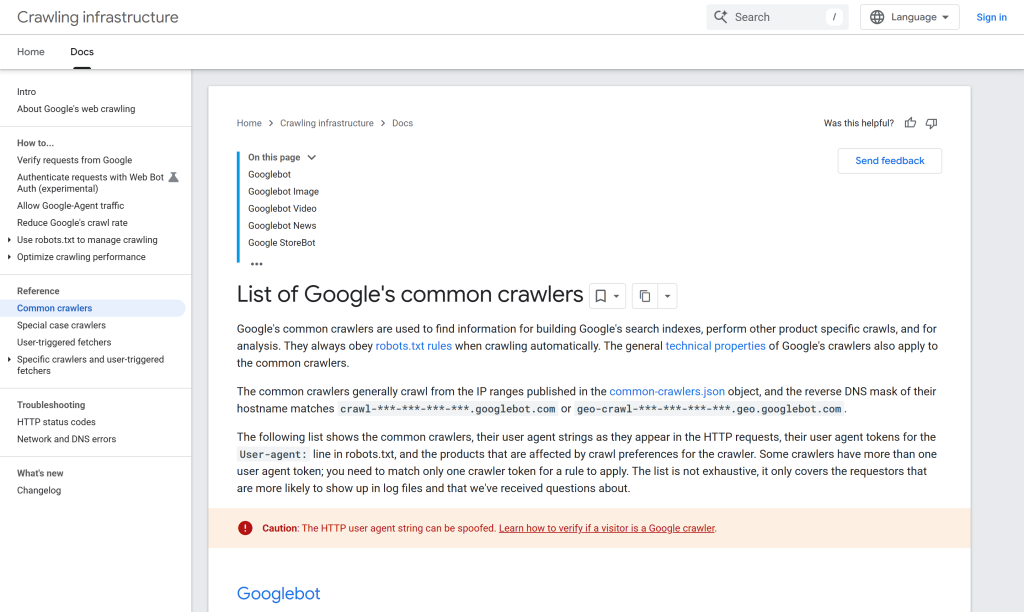
Many sites build part of the page with JavaScript. Google says it processes JavaScript sites in three phases: crawling, rendering and indexing. A page can wait in a queue before it is rendered. Content that only appears after scripts run is therefore at risk of being indexed late or missed.
Indexing and serving
Google then analyses the content, picks a canonical version among duplicates and decides whether to store the page in its index. Only indexed pages can be served in results. Google also states that it does not guarantee it will crawl, index or serve any page, even when the site follows its guidelines. Technical SEO raises the odds at each step.
Why technical SEO matters
Technical problems block results before content quality is even judged.
- Pages missing from search: A stray noindex tag or a blocked folder can remove whole sections from Google.
- Wasted work: Content, design and ad budgets do not pay off if the landing pages cannot be indexed.
- Lost value after changes: A redesign or platform move without redirects drops the rankings and links old URLs had earned.
- Weaker experience: Slow, unstable pages on mobile make visitors leave and send poor signals.
Fixing these issues removes barriers. It does not guarantee higher rankings on its own, because rankings also depend on how useful your content is and how other sites refer to you.
Technical, on-page and off-page SEO
SEO work usually splits into three parts, and technical SEO supports the other two.
| Part | Focus | Examples | Usual owner |
|---|---|---|---|
| Technical SEO | How the site is built and configured | Crawling, indexing, redirects, speed, structured data | Developer, guided by SEO |
| On-page SEO | What each page says and how it is marked up | Titles, headings, content, internal links | Content writer or marketer |
| Off-page SEO | How other sites refer to you | Backlinks, brand mentions, reviews | Marketing or PR |
In practice the parts overlap. Internal links, for example, are both a technical and an on-page concern. A team that plans marketing and creative work together can fix issues once instead of handing them back and forth.
Crawling: let search engines reach the right pages
Crawl control decides which URLs search engines request and how much server effort goes to each.
robots.txt
The robots.txt file sits at the root of the domain and tells crawlers which paths they may request. Google's robots.txt guide is clear that it manages crawler traffic and is not a way to keep a page out of Google. To keep a page out, use noindex or password protection instead.
A simple robots.txt for a WordPress site often looks like this:
User-agent: *
Disallow: /wp-admin/
Allow: /wp-admin/admin-ajax.php

Sitemap: https://www.example.com/sitemap_index.xml- Check: Open yourdomain.com/robots.txt and confirm it does not block CSS, JavaScript or image folders that pages need to render.
- Fix: Remove broad rules such as
Disallow: /copied from a staging site, and list the sitemap URL.
XML sitemap
An XML sitemap lists the URLs you want indexed. Most SEO plugins create one automatically. It should only contain live, indexable, canonical pages that return 200.
- Check: Open the sitemap and compare it with a crawl. Look for URLs that redirect, return 404, carry noindex or point their canonical elsewhere.
- Fix: Exclude those URLs, keep the lastmod date accurate, and submit the sitemap in Google Search Console.
URL parameters and filters
Filters, sorting options, tracking tags and internal search can create thousands of URL variations of the same page. Crawlers then spend time on copies instead of new content.
- Check: Crawl the site and count URLs containing
?. Look for filter links that are real links on every listing page. - Fix: Decide which parameters deserve their own indexable page. Point the rest to the main URL with a canonical tag, keep them out of the sitemap, and avoid linking to them where you can.
Server errors and crawl budget
Crawl budget is how much Google is willing to crawl on your site. Google's crawl budget guide is written for very large sites, roughly a million or more pages, or sites with fast-changing content, and says other sites do not need it. For most business sites, the real risk is server errors and slow responses.
- Check: The Crawl stats report in Search Console shows response times and errors. An uptime monitor alerts you to downtime.
- Fix: Turn on page caching, fix 5xx errors at the hosting level, and keep error logs long enough to investigate spikes.
Indexing: control what Google stores
Indexing controls decide which of the crawled pages Google keeps and which version it treats as the main one.
Meta robots and X-Robots-Tag
A meta robots tag in the page head tells search engines whether to index the page and follow its links. The same instruction can be sent as an X-Robots-Tag HTTP header, which also works for PDFs and other files.
<meta name="robots" content="noindex, follow">- Use noindex for: Thank-you pages, internal search results, thin tag pages, staging copies and login pages.
- Check: View the page source or use the URL Inspection tool to see the detected robots directive.
- Fix: Remove noindex from pages you want found. Do not block a noindex page in robots.txt, or Google cannot see the tag.
Canonical tags and duplicate content
When several URLs show the same or very similar content, Google picks one as canonical. Google's guide to consolidating duplicate URLs ranks the signals. Redirects and rel="canonical" are strong signals, while sitemap inclusion is a weak one.
| Situation | Best signal |
|---|---|
| Old URL replaced by a new one | 301 redirect |
| Same content at several URLs that must stay live (filters, tracking tags) | rel="canonical" to the main URL |
| Page that should not appear in search at all | noindex |
| Thin pages that cover the same topic | Merge content, then 301 the weaker URL |
- Check: Every indexable page should have a canonical tag pointing to its own clean URL. Crawl reports list missing or conflicting canonicals.
- Fix: Make redirects, canonicals, internal links and the sitemap all point to the same version of each URL.
Checking indexing in Search Console
The Page indexing report in Google Search Console groups URLs by status and gives the reason when a page is not indexed, for example "Excluded by noindex tag" or "Duplicate without user-selected canonical". The URL Inspection tool shows the status of one URL, the canonical Google chose and a live test of what Googlebot receives.
- Check: Review the report monthly and after every launch. Inspect your five most important pages.
- Fix: Work through the reasons in order of business value, starting with pages that should earn traffic.
Site architecture and URLs
Site architecture is how pages connect, and it shapes how easily people and crawlers reach each page.
URL structure
Clean URLs are easier to read, share and manage.
- Use lowercase letters, hyphens between words and no special characters.
- Pick one version of the host (with or without www) and one trailing slash style, then 301 the other versions.
- Keep important pages within a few levels of the home page, for example /services/web-design/.
- Avoid
#in URLs for real pages, because search engines ignore the part after it.
Internal links, click depth and orphan pages
Internal links pass discovery and importance between pages. Click depth is how many clicks a page sits from the home page. An orphan page has no internal links pointing to it at all.
- Check: A crawler lists click depth, inlinks per page and pages found only in the sitemap.
- Fix: Link key pages from the menu, hub pages and related content. Use real
<a href>links with descriptive anchor text, not buttons that only work with JavaScript.
Breadcrumbs and pagination
Breadcrumbs show where a page sits in the site and add useful internal links. Matching BreadcrumbList schema can show the path in search results. Listing pages such as blogs or portfolios need pagination with real links to page 2, 3 and so on. A "load more" button that only runs JavaScript can hide older items from crawlers.
- Check: Disable JavaScript and confirm you can still reach older items through links.
- Fix: Add crawlable pagination URLs and link page 1 to the main listing URL, not to /page/1/.
Redirects and 404 pages
A 301 redirect sends visitors and search engines from an old URL to a new one. A redirect chain is several redirects in a row, which slows crawling and loses clarity. A 404 tells everyone the page no longer exists. A soft 404 is a page that says "not found" but returns 200, which confuses search engines.
- Check: Crawl for internal links to 3xx and 4xx URLs. In Search Console, look for 404s that have links or traffic.
- Fix: Map each old URL to its closest new page with one 301, update internal links to the final URL, and keep a helpful custom 404 page that returns a real 404 status.
Page speed and Core Web Vitals
Speed and stability shape the first seconds of a visit, and Google measures them with Core Web Vitals.
| Metric | What it measures | Good result |
|---|---|---|
| Largest Contentful Paint (LCP) | Loading of the main content | Within 2.5 seconds |
| Interaction to Next Paint (INP) | Response to clicks and taps | Under 200 milliseconds |
| Cumulative Layout Shift (CLS) | Visual stability while loading | Under 0.1 |
| Time to First Byte (TTFB) | Server response | 0.8 seconds or less as a rough guide |
The first three thresholds come from Google's Core Web Vitals guidance.
The TTFB guide comes from web.dev, which suggests most sites aim for 0.8 seconds or less. INP replaced First Input Delay as a Core Web Vital on 12 March 2024, so older guides that mention FID are out of date.
- Check: Use field data (real visitors, at the 75th percentile) to judge results, and lab data from Lighthouse to find causes. Test the home page and one page per template on mobile.
- Fix: Common fixes are page caching and a CDN, compressed WebP or AVIF images with width and height set, no lazy loading on the main hero image, fewer and lighter fonts, and removing or delaying third-party scripts that block interaction.
Mobile, HTTPS and security
Mobile, HTTPS and security set the baseline that every other improvement builds on.
Mobile-first indexing
Google's mobile-first indexing documentation says it uses the mobile version of a site's content for indexing and ranking. If the mobile layout hides text, links or structured data that the desktop version shows, Google may never see them. Google retired its standalone Mobile-Friendly Test in December 2023, so check mobile pages with Lighthouse and Chrome's device mode instead.
- Check: Compare mobile and desktop for the same content, links, metadata and schema.
- Fix: Keep content parity and make sure menus, forms and buttons work with a thumb on a small screen.
HTTPS and mixed content
HTTPS encrypts the connection between visitors and your site using an SSL certificate. Google has used HTTPS as a lightweight ranking signal since 2014. The bigger effect is trust, because browsers label plain http pages as "Not secure".
- Check: Look for the padlock, test the certificate at SSL Labs, and use the browser console to find mixed content, where a secure page loads images or scripts over http.
- Fix: 301 every http URL to https in one step and update hard-coded http links in templates.
Security headers
Security headers tell browsers how to handle your pages. Common ones are Strict-Transport-Security (HSTS), X-Content-Type-Options, X-Frame-Options, Referrer-Policy and Content-Security-Policy. They are not ranking factors, but they protect visitors and the site. Free scanners such as securityheaders.com show which headers are missing.
Structured data
Structured data is code, usually JSON-LD using the schema.org vocabulary, that describes what a page is about in a format search engines read easily.
| Page type | Useful schema |
|---|---|
| Home page | Organization (name, logo, url, sameAs, contact details) |
| Every page except home | BreadcrumbList |
| Blog posts and guides | Article or BlogPosting with author and dates |
| Service pages | Service |
| About and contact pages | AboutPage, ContactPage |
| Category and listing pages | CollectionPage |
- Check: Test key templates in the Rich Results Test and the schema.org validator. Look for duplicate nodes, for example two Organization blocks from a plugin and custom code.
- Fix: Keep one source per schema type, and only mark up content that visitors can see on the page.
JavaScript and rendering
Modern sites often build menus, listings or whole pages with JavaScript. Google can render JavaScript, but it takes extra time, and many AI crawlers read only the raw HTML the server sends. Google still recommends server-side rendering or pre-rendering, because it makes pages faster for users and crawlers.
- Check: Open "View page source" and look for the H1, the first paragraph and the main links. The URL Inspection live test shows the rendered HTML Google sees.
- Fix: Render the main content and navigation on the server, and use real
<a href>links rather than click handlers for navigation.
International sites and hreflang
Sites with several languages or country versions need to tell search engines which page serves which audience. The hreflang annotation does this.
<link rel="alternate" hreflang="en-au" href="https://www.example.com/au/" />
<link rel="alternate" hreflang="en-gb" href="https://www.example.com/uk/" />
<link rel="alternate" hreflang="x-default" href="https://www.example.com/" />- Each page must list itself and every alternate, and each alternate must link back.
- Use canonical, indexable URLs in hreflang, and keep each language version canonical to itself.
- Set the html lang attribute to match the page language.
Technical SEO for AI search
AI search tools such as ChatGPT search, Perplexity and Google's AI Overviews also depend on what crawlers can reach and read.
- Crawler access: AI companies run separate bots. According to OpenAI's crawler documentation, OAI-SearchBot surfaces sites in ChatGPT search, while GPTBot collects content that may be used for model training, and each can be allowed or blocked on its own.
- Raw HTML: Many AI crawlers do not run JavaScript, so content that only appears after scripts run may be invisible to them.
- llms.txt: A proposed file at /llms.txt that gives AI tools a short guide to a site. It was proposed by Jeremy Howard in September 2024 and is not an official standard, so treat it as optional.
- Entity data: Organization schema with sameAs links to official profiles helps AI tools describe the business correctly.
This robots.txt rule set allows search use while opting out of training:
User-agent: OAI-SearchBot
Allow: /

User-agent: GPTBot
Disallow: /
Technical SEO checklist
This checklist is a trimmed version of the delivery checklist our studio uses on website launches and audits, which runs to 124 items across nine groups. Tick what passes on your site.
Crawling
robots.txt does not block key content
How to check: Open yourdomain.com/robots.txt and look for Disallow rules on pages, CSS or JavaScript.
Sitemap lists only live canonical pages
How to check: Crawl the sitemap URLs in Screaming Frog and filter for 3xx, 4xx and noindex.
Parameter URLs are under control
How to check: Count crawled URLs with a question mark and confirm they canonicalise to the main page.
No 5xx errors or long outages
How to check: Review the Crawl stats report in Search Console and an uptime monitor.
Indexing
Key pages are indexed
How to check: Run the URL Inspection tool on your five most important URLs.
No stray noindex
How to check: Filter a crawl for noindex and confirm each one is intentional.
Canonicals point to themselves
How to check: Compare the canonical URL with the page URL in a crawl.
One version of the site
How to check: Load http, https, www and non-www versions and confirm each 301s once to the main host.
Architecture
No broken internal links
How to check: Filter a crawl for internal links to 4xx pages.
No redirect chains in links
How to check: Filter a crawl for internal links to 3xx URLs and update them.
No orphan key pages
How to check: Compare sitemap URLs with crawled URLs that have inlinks.
Real 404 status for missing pages
How to check: Open a made-up URL and confirm the status is 404 in DevTools.
Speed and mobile
Core Web Vitals pass on mobile
How to check: Read field data in PageSpeed Insights or the Search Console Core Web Vitals report.
Hero image loads first
How to check: Confirm the largest image above the fold has no lazy loading.
Mobile shows the same content
How to check: Compare mobile and desktop for text, links and schema.
Security and data
HTTPS everywhere, no mixed content
How to check: Look for console warnings in Chrome DevTools.
Schema is valid and not duplicated
How to check: Test the home page, a service page and a post in the Rich Results Test.
Main content is in the raw HTML
How to check: Use View page source and search for the H1 and first paragraph.
Fix items in this order: anything that blocks indexing first, then problems on pages that already get impressions, then site-wide template issues, then the rest.
Technical SEO tools
Five tools cover most technical checks for a business website.
Google Search Console
Search Console is Google's free tool for site owners. It shows which pages are indexed and why others are not, Core Web Vitals from real users, crawl stats, manual actions and security issues. The URL Inspection tool tests a single page live. Every site should have it set up with the sitemap submitted.
PageSpeed Insights
PageSpeed Insights is free and tests one URL at a time. It shows field data from real Chrome users when available, plus a Lighthouse lab report with specific causes and suggested fixes. Test mobile first.
Rich Results Test
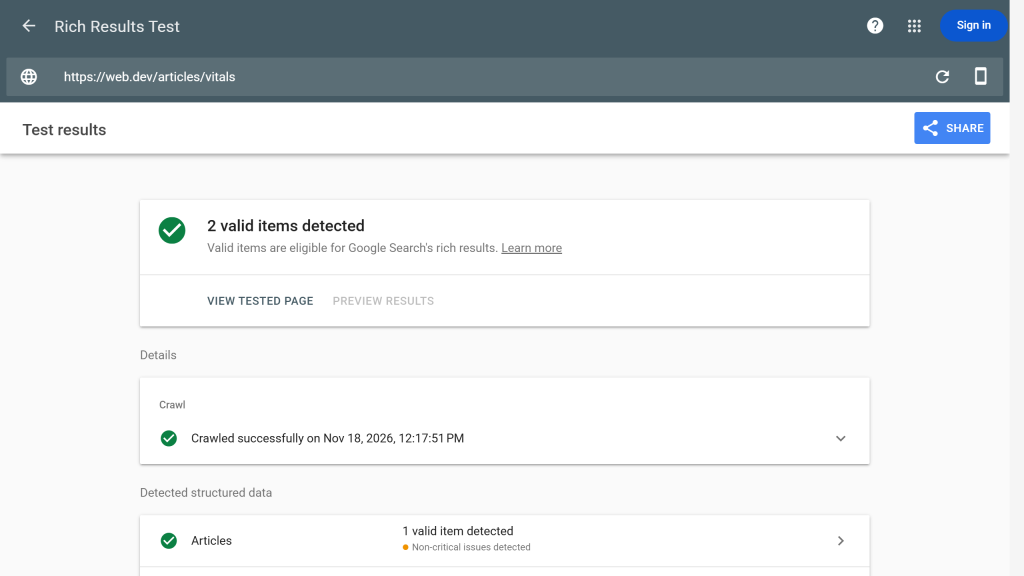
The Rich Results Test, also free from Google, checks whether a page's structured data is valid and which rich result types it is eligible for. Use it after any template or plugin change that touches schema.
Screaming Frog SEO Spider
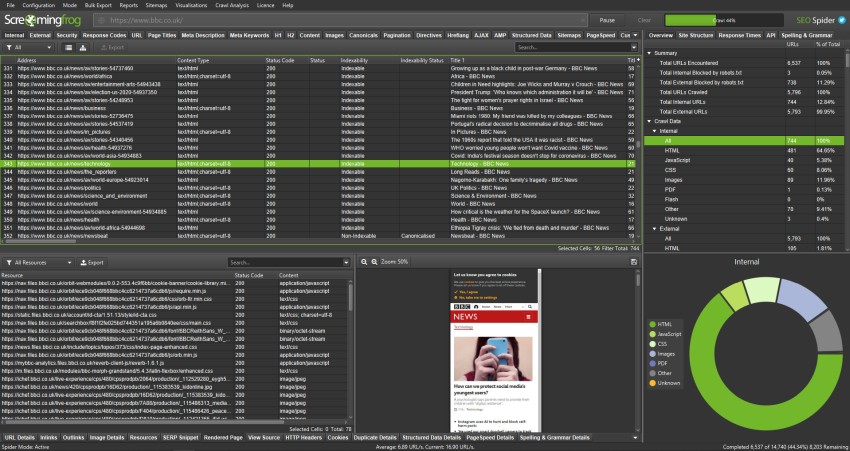
Screaming Frog crawls a site the way a search engine does and reports status codes, redirects, canonicals, titles, directives, duplicate content and more. The free version crawls up to 500 URLs. According to the Screaming Frog pricing page, a paid licence costs £199 per year and removes the limit.
Chrome DevTools
DevTools is built into Chrome. The Network panel shows status codes, headers and file sizes. The Console shows mixed content and script errors. Device mode simulates mobile screens. It is the quickest way to confirm a fix on a single page.
Who does technical SEO
Technical SEO is shared work, and problems appear when nobody owns the checks.
- Developer: Changes code, templates, server settings, redirects and structured data.
- SEO specialist: Finds issues, sets priorities and checks that fixes worked.
- Business owner or marketing lead: Decides which pages matter most and approves the work.
Needs also differ by type of site. A small business site usually suffers from settings and template issues rather than crawl budget. E-commerce sites need tight control of filter URLs and product schema. Hotel and resort websites often run booking engines on another domain or inside scripts, so room and offer pages must stay readable. SaaS sites built with JavaScript frameworks need server-side rendering for marketing pages.
Signs it is time to get help include pages missing from Google, a traffic drop after a redesign, many errors in the Page indexing report, or slow mobile pages you cannot explain. A website rescue from Enosta Digital Studio covers technical health, performance, security and SEO in one piece of work, with fixes and checks handled by the same team.
Download the technical SEO checklist
Our technical SEO checklist turns this guide into 30 checks you can work through with your developer.
Get the technical SEO checklist
Enter your details and we will send the Excel checklist to your inbox.
Frequently asked questions
Can I do technical SEO myself?
You can run most checks yourself with Search Console, PageSpeed Insights and a crawler. Many fixes, such as redirects, templates, server settings and rendering, need a developer or CMS access.
Does fixing technical SEO guarantee better rankings?
No. Technical fixes remove barriers to crawling and indexing. Rankings still depend on content quality, relevance and how other sites refer to you.
How long do technical fixes take to show results?
It varies. Google needs to recrawl and reprocess the changed pages. Important pages are often recrawled within days, while the rest of a site can take weeks.
How often should technical SEO be checked?
Check Search Console monthly and after every launch, redesign or migration. Run a full crawl and checklist review once or twice a year for most small and mid-sized sites.
Where should a small business start?
Start with Search Console. Submit the sitemap, fix anything that stops key pages being indexed, then work through speed and mobile on your main templates.