AI Overviews are AI-generated summaries that appear at the top of some Google results and link to the sites they draw from. They use the same index and ranking systems as normal Search, so the basics of SEO still decide which sites appear. This guide explains how AI search tools choose sources and what Google officially says. It then lists the practical steps that help a business get found and described correctly.
What are AI Overviews?
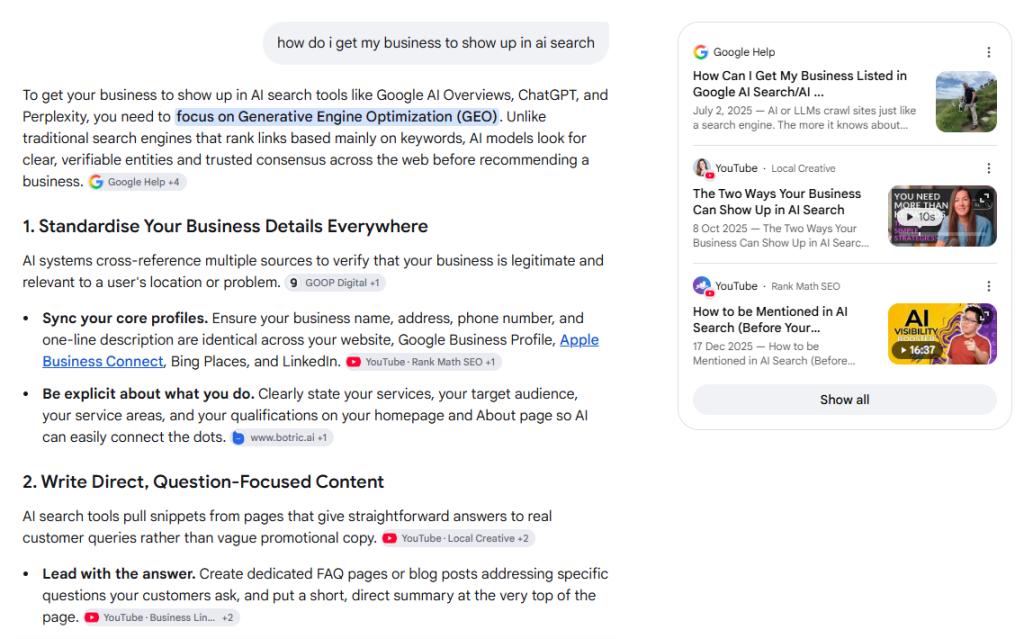
An AI Overview is an AI-generated summary that Google shows at the top of results for some searches, with links to sources beside or below the text. Google shows them only when a summary is likely to help, so they are not on every search. To be eligible as a source, a page only needs to be indexed and eligible to show a snippet in Google Search.
AI Overviews, AI Mode and other AI search
AI search now spans Google's own features and separate tools, and each one finds and shows websites in a slightly different way.
| Classic results | AI Overviews | AI Mode | ChatGPT search and Perplexity | |
|---|---|---|---|---|
| What the user sees | A list of links and rich results | A short summary above the results, with source links | A longer, conversational answer with follow-up questions | A chat answer with cited sources |
| Where sources come from | Google's index | Google's index and ranking systems | Google's index, with many related searches | Each company's own crawlers and search partners |
| How your site appears | A ranked link | A cited link inside or beside the summary | Cited links inside the answer | Cited links and brand mentions |
| What you control | Indexing, content, links | The same signals as normal Search | The same signals as normal Search | Crawler access, content, how you are described across the web |
For a business, the important point is simple. AI Overviews and AI Mode are not a separate system to game. They reward the same things as Google Search. ChatGPT search and Perplexity add one extra question. Can their crawlers reach your pages at all?
How AI search chooses which sites to cite
AI search picks sources it can find, trust and quote for each part of the question.
Google's documentation on AI features and your website explains that AI Overviews and AI Mode may use a technique called query fan-out. The system runs several related searches across subtopics, then builds the answer from the pages it finds. A question such as "best way to redesign a hotel website without losing bookings" might fan out into searches about booking engines, redirects, mobile speed and design.
This has three practical effects:
- Specific pages win specific sub-questions: A clear page that answers one sub-question well can be cited even if it does not rank first for the main query.
- Normal ranking still matters: Sources come from Google's index and ranking systems, so pages that cannot be indexed or are weak in Search are unlikely to appear.
- Snippet eligibility is required: A page that blocks snippets cannot be shown as a source.
Google's ranking systems still choose the pages, and its index still decides what is available to choose from. That is why sites that already do well in Search tend to appear more often in AI answers too.
Studies from SEO tool vendors about how often AI Overviews appear and which pages they cite change from month to month and often disagree. Treat them as a sign of direction, and rely on your own Search Console data for decisions.
What Google says about optimising for AI features
Google's official position is short. Keep doing foundational SEO, and ignore most of the tricks sold as "AI optimisation".
Google's guide to optimising for generative AI features sets out what applies and what does not.
The same guide points site owners to Search Console to measure visibility in generative AI features, and says local businesses and online stores should keep their Google Business Profile and Merchant Center data up to date.
How to get found in AI search
Five areas decide whether AI search can find, trust and describe your business.
Publish specific, first-hand content
AI answers draw on pages that answer a precise question with clear, original detail. Generic articles that repeat what every other site says give the system no reason to cite you.
- Answer specific questions, one main question per page, in the first lines. Then explain with steps, examples and limits.
- Add first-hand experience that only your business knows: how you work, real project scope, prices or ranges you publish, local details and lessons learned.
- Cover the follow-up questions people ask, such as cost, timing, risks and alternatives.
- Keep facts and dates current, because freshness matters when prices, rules or tools change. Show who wrote or reviewed the content.
- Check: Search the questions your customers ask. Does your page answer them better than the pages that appear?
Keep the site crawlable and indexable
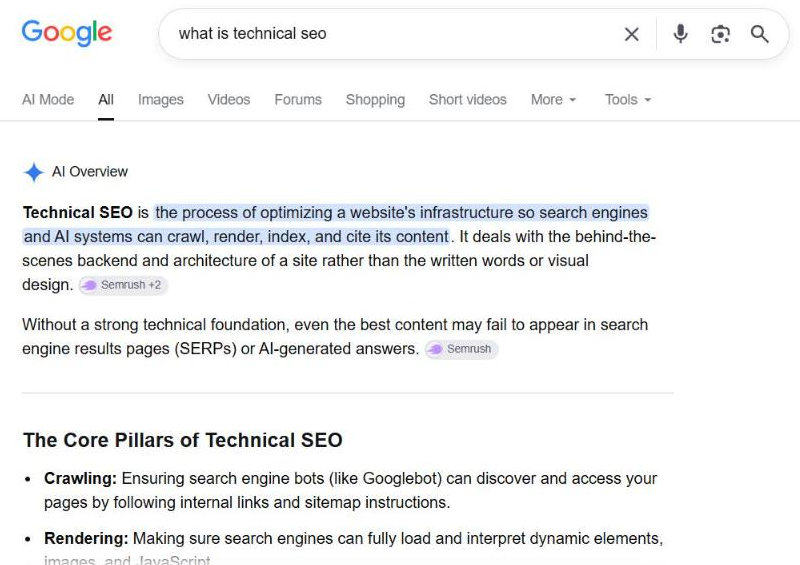
If Google cannot crawl and index a page, it cannot appear in AI Overviews or AI Mode either. The technical basics are the same as for normal Search.
- Confirm key pages are crawlable and indexed with the URL Inspection tool in Search Console.
- Make sure the main content is in the HTML the server sends, not only loaded by JavaScript.
- Keep page experience good, with fast and usable pages on mobile, and remove duplicate pages that compete with each other.
- Check: The Page indexing report shows your important pages as indexed, and no preview control such as nosnippet blocks them by mistake.
Make your business easy to identify
AI tools need to know who you are, what you do and where you work before they can recommend you.
- Use one consistent brand description, name and service list on your website, profiles and directories.
- Add Organization schema on the home page with your logo, address and links to official profiles. Google says structured data is not required for AI features, but it helps search engines connect the facts.
- Keep your Google Business Profile complete if you serve local customers, and keep product data current in Merchant Center if you sell online.
- Check: Ask Google, ChatGPT and Perplexity "what does [your business] do?" and compare the answer with your current services.
Earn real mentions beyond your site
AI answers often draw on reviews, industry directories, news coverage and community discussions as well as company websites. Mentions from real customers and partners tell AI systems that the business exists and is trusted.
- Ask happy clients for reviews on the platforms your customers use.
- Keep listings in relevant industry directories accurate.
- Share expertise through PR in industry media, podcasts and events.
- Join communities and discussions honestly, as yourself, where you can genuinely help.
- Check: Search your brand name with and without your main service, and list where you are mentioned and where competitors are mentioned but you are not.
Aim for authentic mentions. Google warns against inauthentic ones, such as paid fake reviews or planted forum posts. They risk your reputation and do not build lasting trust.
Let ChatGPT and Perplexity reach your pages
Tools outside Google use their own crawlers. According to OpenAI's crawler documentation, OAI-SearchBot is used to show sites in ChatGPT search, while GPTBot collects content that may be used to train models, and each can be allowed or blocked separately. Perplexity uses its own crawler, PerplexityBot.
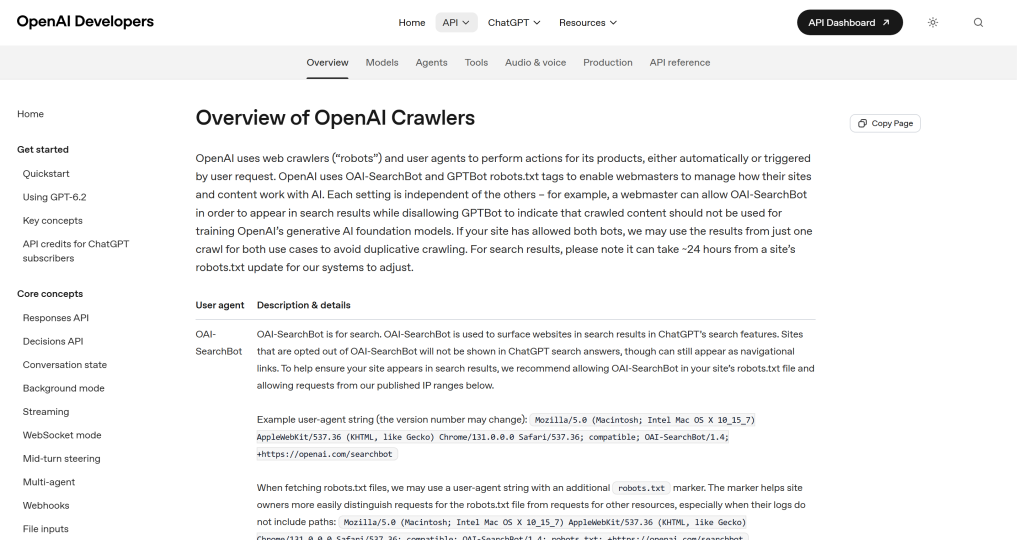
- Review robots.txt and any firewall or bot protection rules, so search crawlers you want are not blocked by accident.
- Decide training vs search access separately. You can allow search crawlers while blocking training crawlers in robots.txt.
- Check: Search for your brand in ChatGPT and Perplexity and see whether your own site is cited, or only third-party pages about you.
Control what AI features can use
Site owners can limit what Google shows from their pages, but each control also affects normal Search.
| Control | What it does | Trade-off |
|---|---|---|
| noindex | Keeps a page out of Google Search, including AI features | The page cannot be found in Search at all |
| nosnippet | Stops Google showing text from the page as a snippet or in AI features | The page loses its snippet in normal results too |
| max-snippet | Limits how much text Google can show | Shorter snippets in normal results |
| data-nosnippet | Hides selected parts of a page from snippets | Only those parts are excluded |
| Google-Extended | Limits use of your content for training and grounding in other Google AI systems such as Gemini | Does not affect inclusion in Google Search or AI Overviews |
If you want visibility, the right setting is usually to allow everything and focus on the quality of what can be shown. Use nosnippet or data-nosnippet only for content you have a reason to protect, such as paid material or confidential details.
How to measure AI search visibility
You can track AI search visibility with free tools and a simple routine before paying for specialist trackers.
Search Console
Review the Search Console Performance report under the Web search type, where clicks from AI features are counted with normal Search, and the generative AI report where available.
Prompt list
Write a prompt list of ten to twenty questions customers ask, and run them each month in Google, ChatGPT and Perplexity.
Brand mentions log
Record whether you appear, which page is cited and how the business is described.
Fix and repeat
Correct outdated pages and profiles behind wrong answers, then check again next month.
A good prompt list mixes three kinds of question. Include brand questions such as "what does [business] do", category questions such as "who builds hotel websites in Da Nang", and problem questions such as "how do I fix a slow WordPress site". Keep the wording the same each month, so changes in the answers reflect changes in the AI tools and your site, not in your questions. Note the date, the tool and whether you were signed in, because answers can differ between sessions.
Third-party trackers for AI visibility can run larger prompt sets and compare you with competitors. Their numbers are estimates based on the prompts they choose, and Google states that no third-party tool sees inside its systems, so use them to spot trends rather than as exact rankings.
What not to do
Several tactics sold as AI optimisation either waste time or put the site at risk.
- Do not chunk content for AI: Google says chunking pages into small pieces, or rewriting for AI in a special format, is not needed.
- Do not add llms.txt for Google Search: Google Search does not use it. Add one only if another tool you care about uses it.
- Do not mass-produce AI pages: Creating many pages mainly to manipulate rankings or AI answers breaks Google's scaled content abuse policy. It can harm the whole site, not only the new pages.
- Do not buy fake mentions: Paid fake reviews and planted posts damage trust and can breach platform rules.
- Do not chase vendor scores: Optimise for what customers ask, not for a tool's visibility score.
Using AI tools in SEO work
AI tools can speed up SEO work, as long as a person checks the facts and the final call.
- Research: Group keywords by intent, summarise competitor pages and draft lists of customer questions.
- Briefs: Turn research into a first outline that a writer then corrects.
- Drafts with human review: Produce a first draft that an expert edits, adds first-hand detail to and fact-checks against sources.
- Technical tasks: Write regex for redirects, draft structured data and summarise crawl exports.
- Not on autopilot: Publishing unedited AI text at scale adds little value and carries a scaled content risk.
Enosta Digital Studio's Search Growth service covers SEO, GEO and AEO for Google and AI search, if you want help planning and doing this work. See our marketing and creative services.
Download the AI search visibility checklist
Our AI search visibility checklist turns this guide into 14 checks and a prompt tracker you can update each month.

Get the AI search visibility checklist
Enter your details and we will send the Excel checklist to your inbox.
Frequently asked questions
Do AI Overviews reduce clicks to my website?
For some searches, people get the answer without clicking. Google says clicks from AI Overview pages tend to be higher quality, with visitors more likely to spend time on the site. Watch your own Search Console clicks and impressions by page to see the effect on your site.
Does schema markup help me appear in AI Overviews?
Google says structured data is not required for AI features and there is no special schema to add. Structured data still helps search engines understand your business and makes pages eligible for rich results in normal Search.
Should I add an llms.txt file?
Not for Google. Google Search does not use it. It is a proposal from 2024 that some other AI tools may read, so treat it as optional.
How long does it take to appear in AI answers?
There is no fixed timeline. Google has to recrawl and re-evaluate your pages, and other AI tools refresh on their own schedules. Improvements to content, profiles and mentions usually take weeks to months to show.