
What is SEO? Short for search engine optimisation, it makes your site easier for search engines to understand and more useful to people. This guide explains how search engines find and rank pages, the main types of SEO and how keywords fit in, plus paid ads, AI search, timing and the practices to avoid. By the end, you will know whether SEO suits your business and what to do first.
What is SEO?
SEO is how a business earns visibility in the unpaid part of search results.
What is SEO? The short answer
SEO, short for search engine optimisation, is the practice of making a website easier for search engines to understand and more useful to the people who visit it. Its goal is to show your pages in unpaid (organic) search results for the searches that matter to your business. It covers your site's technical health, your content, your reputation online and, for local firms, your map listing.
For a business, SEO means being found by people who are already searching for what you sell. These are people searching for what you sell, and they arrive as enquiries with no cost per click, and each page can keep attracting them for as long as it stays useful. That is why many owners treat SEO as an asset that builds over time, not a monthly ad bill.
How SEO works
Search engines work in three stages, and SEO improves your chances at each one.
Indexing
Google analyses each page, groups duplicates and stores the best version in its index.
Serving
When someone searches, Google picks the most relevant, high-quality results for that person.
This is the model Google describes in its own guide to how Search works. A page must pass through all three stages before it can appear, and index inclusion is not promised. Google says that not every page it processes will be indexed.
At the crawling stage, SEO means making sure crawlers can reach your pages through clear links, an XML sitemap and a robots.txt file that does not block important content. At the indexing stage, it means giving each page a unique purpose and useful content. At the serving stage, it means matching the page to what the searcher wants, in their location, language and on their device.
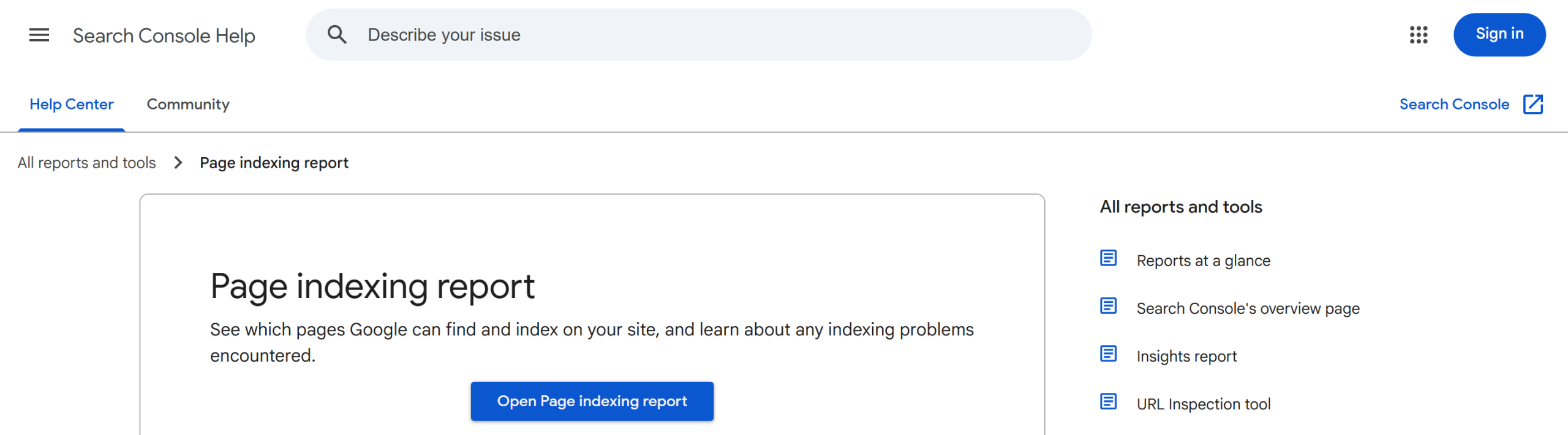
Google's Page indexing report in Search Console shows which pages are indexed and why others are not. It is the quickest way to check how this works on your own site.
The main types of SEO
SEO has four main parts: technical, on-page and content, off-page, and local.
| Type | What it covers | Example task |
|---|---|---|
| Technical SEO | How well search engines can crawl, render and index your site | Fixing pages blocked from indexing; see what is technical SEO |
| On-page SEO and content | What each page says and how it is written and structured | Writing a clear title, headings and a useful answer for one search |
| Off-page SEO | Signals from outside your site, such as backlinks, mentions and reviews | Earning a backlink from a trade body or a local news site |
| Local SEO | Visibility in map results and searches with a place in them | Keeping your Google Business Profile accurate and complete |
Most sites need all four, but not at once. A new site often starts with technical health and a few good pages. An established site with solid pages may gain more from earning links and reviews. If you are unsure which part is weak, an SEO audit shows where visibility is lost.
Keywords and search intent
A keyword is the word or phrase a person types into a search box, and search intent is the reason behind it.
Keywords matter because they show what customers want in their own words. Intent matters more, because the same words can mean different things. Search engines try to match intent, so your page must do the same.
Most searches fall into four intent types:
- Informational: The person wants to learn something, such as "how does a heat pump work".
- Commercial: The person is comparing options before choosing, such as "best heat pump brands".
- Transactional: The person is ready to act, such as "heat pump installer quote".
- Navigational: The person wants a specific site or brand, such as a company name.
Here is an illustrative example, and it is hypothetical. A plumber in Geelong might find that "blocked drain" searches come from people who need help today, so a clear service page with a phone number fits. A search such as "why does my drain smell" is informational, so a short guide suits it better. Two different intents need two different pages.
Choose keywords by asking what a customer would type, then check what already ranks. If the top results are all guides, a sales page will struggle. Do not repeat a phrase unnaturally. Write for the reader and use their words once or twice where they fit.
SEO vs paid search
SEO earns unpaid results over time, while paid search buys a position that lasts only while you keep paying.
| Factor | SEO | Paid search (Google Ads) |
|---|---|---|
| Cost model | No fee per click, but you invest in content, site work and time | You pay each time someone clicks your ad |
| Speed | Takes weeks to months to show effect | Ads can run as soon as they are approved |
| Durability | Pages can keep earning visits for years | Visits stop when the budget stops |
| Control | You influence results but cannot set them | You choose keywords, budget and message |
| Best for | Steady, long-term demand from searchers | Launches, offers and fast tests |
The two work well together. Paid ads can bring visits while SEO builds, and ad data shows which phrases convert. Neither replaces the other. Pick based on how fast you need results and how long you can invest.
SEO in the age of AI search
SEO still matters with AI search, because Google's AI features draw on the same crawlable content as the rest of Search.
Google says its AI features, such as AI Overviews and AI Mode follow the same best practices as the rest of Search. It also says there are no additional requirements to appear in them. That means crawlable, helpful and trustworthy pages remain the base.
Two newer terms sit on top of this base. Generative engine optimisation (GEO) and answer engine optimisation (AEO) describe the work of making content easy for AI tools to find, understand and quote. In practice that means clear answers near the top of a page, plain headings and facts a reader can verify.
For a full explanation of how Google's AI answers pick sources, read our guide to AI Overviews. A professional-services example is in AI visibility for law firms.
How long SEO takes
SEO takes weeks to months to show results, and no one can promise a set timeline or ranking.
Google's SEO Starter Guide says some changes take effect in a few hours, while others can take several months. It suggests waiting a few weeks before judging whether a change helped.
Several things change the speed:
- Site health: A site that crawlers can reach and index starts ahead, and a blocked site has no guaranteed indexing at all.
- Competition: Crowded searches take longer than narrow, local ones.
- Content quality: Pages that fully answer a question earn trust faster than thin ones.
- Age and authority: Established sites with good links and reviews often move sooner.
- Consistency: Regular, useful updates add up more than one big burst.
No one can guarantee a number one ranking. Google says there are no secrets that automatically rank a site first, so be wary of anyone who promises it. Source: Google Search Central, SEO Starter Guide.
How to start with SEO
A small team can start in four stages: check indexing, fix the basics, build useful pages, then claim your local listing and measure.
Stage 1: Check Google can find and index your site
Set up Google Search Console, which is free, and verify your site. Then open the Page indexing report to see which pages are indexed. Submit an XML sitemap so crawlers can find every key page. If your main pages are missing, fix that before anything else.
- Output: A list of important pages that are indexed and a list that are not.
Stage 2: Fix the basics that block visibility
Look for pages that load slowly, break on a phone or have no clear title. Make sure each page has a unique title and heading, and that no page is blocked by mistake. A full review is in our SEO audit guide.
- Output: A short fix list ranked by how many pages each problem affects.
Stage 3: Build pages for real customer searches
List the questions customers ask before they buy, then match each to one page. Write for that search first, in plain words, and add facts, photos or steps that help. Avoid two pages that answer the same question, as they compete with each other. Update old pages before adding new ones.
- Output: One page per main service and one per common customer question.
Stage 4: Claim your local listing and measure
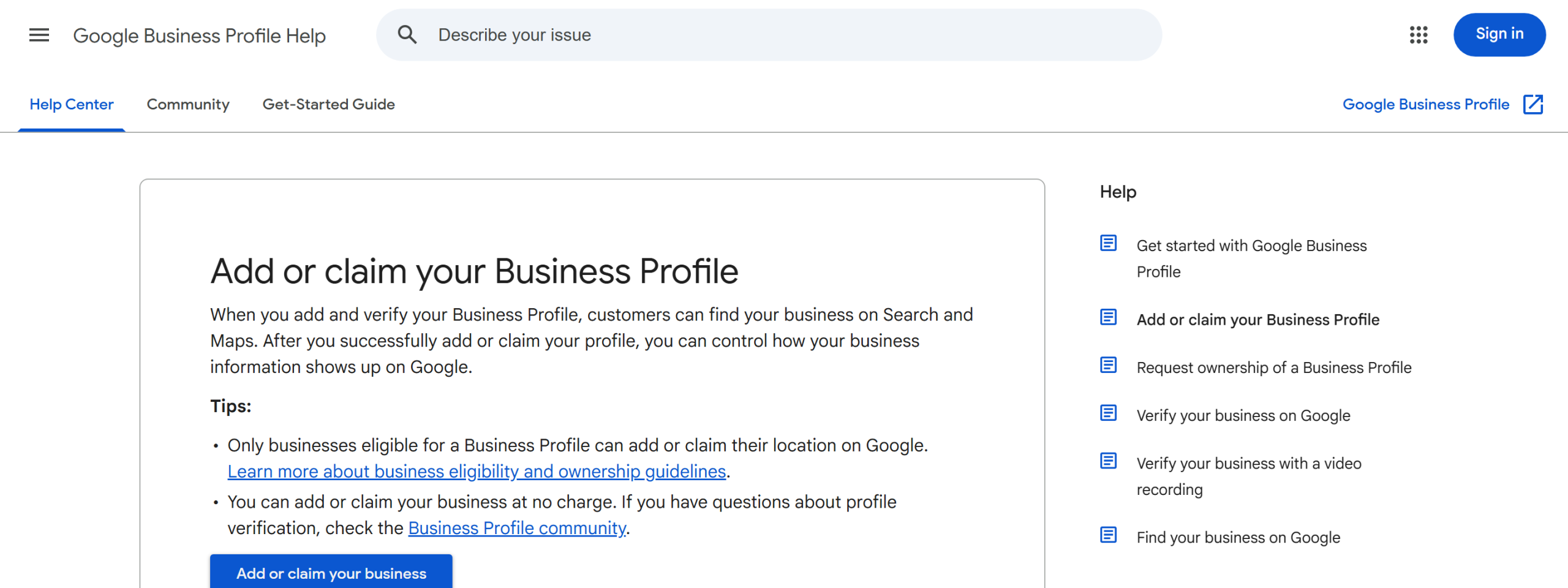
If you serve a local area, claim your Google Business Profile and keep your name, address, hours and services accurate. Then use the Performance report in Search Console to track clicks, impressions and the searches that bring people to you. Review it monthly, not daily.
- Output: A claimed listing and a monthly check of search performance.

Get the SEO starter checklist
Enter your details and we will send the Excel checklist to your inbox.
SEO practices to avoid
Some SEO shortcuts break Google's spam policies and can lower your visibility, so avoid them.
- Keyword stuffing: Repeating a phrase until the text reads badly adds nothing for readers.
- Link spam: Buying links or swapping links in bulk to boost rankings is a violation.
- Cloaking: Showing search engines one page and visitors another is a violation.
- Scaled content abuse: Publishing large volumes of low-value pages made mainly to rank is a violation.
- Guaranteed first page offers: No one controls Google's results, so a promise like this is a warning sign.
Google lists these in its spam policies, and sites that break them can be demoted or removed from results. If a past provider used these tactics, ask for a review before building new work on top.
Is SEO right for your business?
SEO suits businesses where customers search before they buy, and it pays off over months, not weeks.
SEO is likely a good fit when:
- People already search for what you sell, in your area or beyond it.
- You can publish and update useful pages on a steady basis.
- You can wait several months before judging results.
You may want to wait when:
- Your site cannot yet be crawled, or it is about to be rebuilt.
- You need sales this week and have no other channel.
- Your offer is new and you cannot yet describe who it is for.
You can learn the basics yourself, and the first four stages above are within reach of a small team. Get help for audits, large sites, sudden drops in visits or work that spans design, content and code. Enosta Digital Studio covers Search Growth (SEO, GEO and AEO) alongside websites and design in one team. If you are weighing options, contact us for a free call to see where you stand.
Frequently asked questions
Is SEO free?
You do not pay Google to appear in organic results, but SEO is not free to do. It takes time, content and sometimes tools or specialist help. Compared with ads, the cost sits in the work, not in each click.
Can I do SEO myself?
Yes, for the basics. Set up Search Console, fix obvious problems and write useful pages for real customer searches. Bring in help for technical audits, large sites or an unexplained drop in visits.
How often should SEO be updated?
Review it monthly and update pages when facts, prices or services change. SEO is not a one-off task, because competitors, searches and your own business keep changing.
Does social media help SEO?
Social posts can bring people to your site and help your brand get noticed, which may lead to links and mentions. Google does not treat social activity as a direct ranking switch, so treat it as support, not a shortcut.